On Apple Watch
Settings, Accessibility, Chimes. A sound marks the top of every hour.
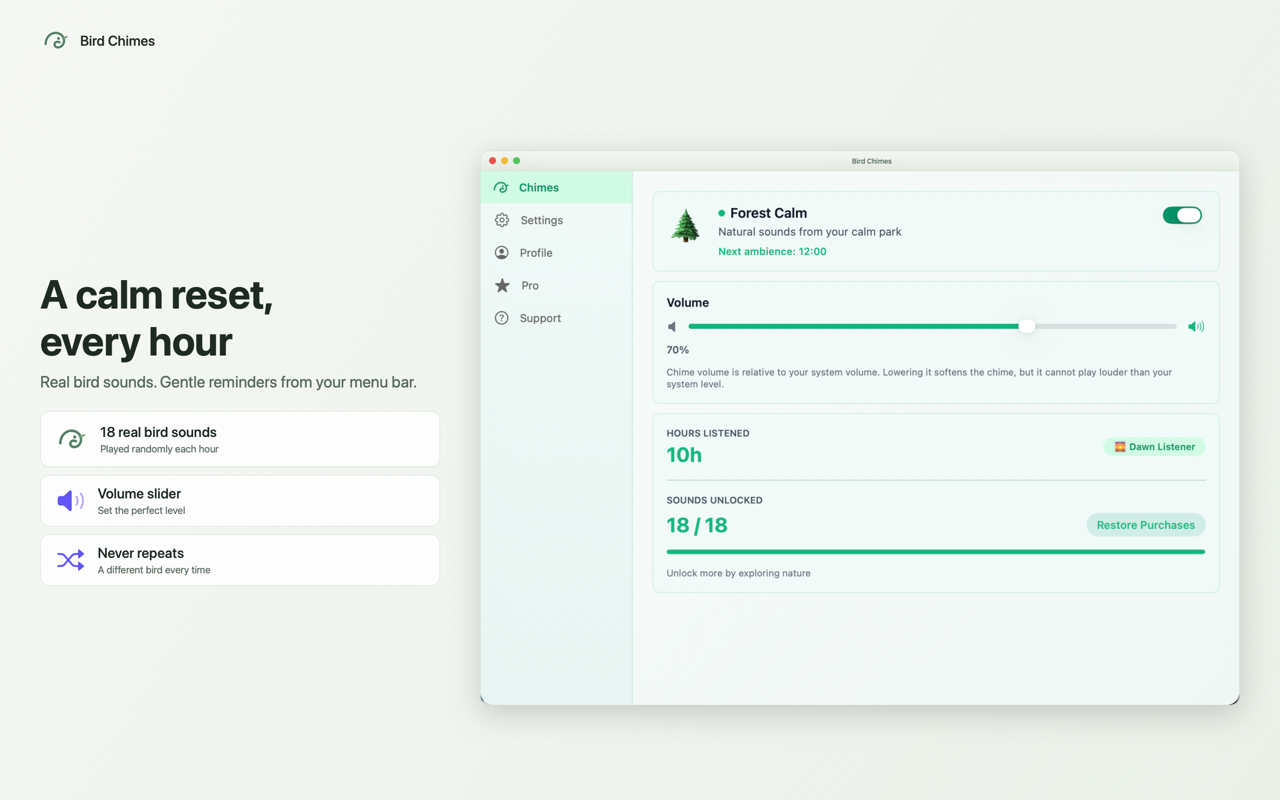
Bird Chimes puts that gentle hourly cue in your Mac's menu bar, using a real bird call instead of a tone.

Free to download. macOS 14 and later.
Twenty seconds, sound on
Starts muted when it scrolls into view. Nothing plays sound until you ask it to.
The gap
Settings, Accessibility, Chimes. A sound marks the top of every hour.
Nothing equivalent. The closest built-in option reads the clock aloud in a synthetic voice, which interrupts rather than marks.
A real bird call from the menu bar. You notice an hour has passed without looking at anything.
Control
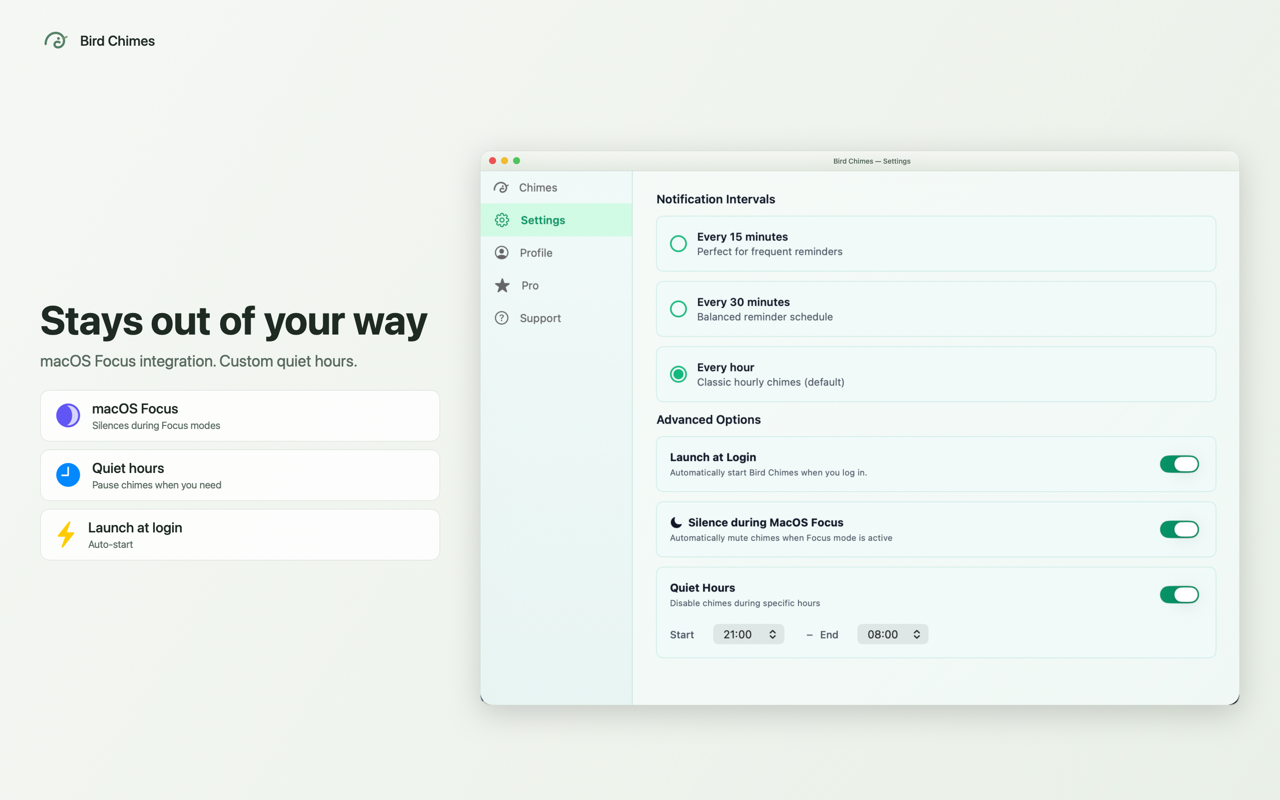
Three settings, then you can forget it is there.
Every 15, 30 or 60 minutes. Hourly is the default.
Set the hours it stays silent. Overnight, for instance.
Turns itself off while a macOS Focus mode is on, and back on afterwards.
Origin
Apple files hourly chimes under Accessibility on Apple Watch. A clock only helps if you remember to look at it, and remembering to look is the part that fails. A sound does not ask you to remember anything.
Bird Chimes was built because the developer's brother is blind and uses VoiceOver. It is equally useful if tracking time is hard for you, or if alarm tones simply feel harsh.
The app